How I Made Table Rows Clickable Without Breaking Buttons
A two-component CSS pattern for making entire table rows navigable in Next.js, while keeping nested buttons and links fully functional.
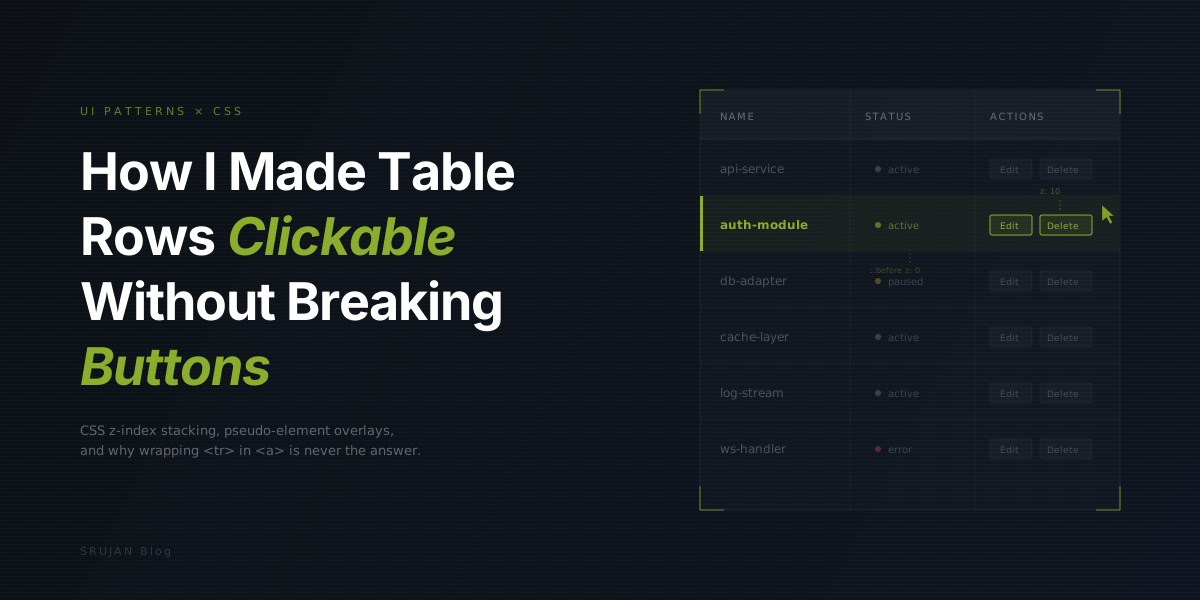
Data tables with clickable rows sound straightforward until you drop an Edit button in the last column and watch it navigate instead of opening a modal. I kept running into this across projects, the row's click handler swallowing everything inside it.
Wrapping <tr> in an <a> tag? Invalid HTML. Attaching onClick with router.push? Kills keyboard accessibility and ignores nested links. I needed something that made the whole row a click target without stealing events from the interactive elements inside it.
The Pseudo-Element Trick
The solution is a CSS stacking trick using two components, LinkBox and LinkOverlay, borrowed from Chakra UI's pattern and stripped down to work with Tailwind.
The idea:
LinkBoxwraps the row and creates a positioning context. Any<button>or<a>inside gets bumped toz-index: 10automatically.LinkOverlayrenders a real<Link>whose::beforepseudo-element stretches across the entireLinkBoxatz-index: 0.
Click empty space in the row and you hit the pseudo-element, navigation fires. Click a button and it's on a higher z-layer, its handler fires instead. No stopPropagation, no event juggling, no JavaScript coordination at all.
The Components
LinkBox handles the positioning context and z-index escalation:
export const LinkBox: React.FC<
  React.HTMLAttributes<HTMLDivElement> & {
    element?: ElementType;
  }
> = ({ children, className, element: Element = "div", ...props }) => {
  return (
    <Element
      {...props}
      className={cn(
        "relative",
        "[&_a:not(.link-overlay)]:relative [&_a:not(.link-overlay)]:z-10",
        "[&_button]:relative [&_button]:z-10",
        className,
      )}
    >
      {children}
    </Element>
  );
};
Three Tailwind selectors do all the work. Every <a> (except the overlay itself) and every <button> inside gets position: relative and z-index: 10. No refs, no event listeners, no context providers.
LinkOverlay is the actual link, stretched over the parent via ::before:
export const LinkOverlay: React.FC<LinkOverlayProps> = ({
  children,
  href,
  className,
  target,
  ...props
}) => {
  return (
    <Link
      href={href}
      target={target}
      rel={target === "_blank" ? "noopener noreferrer" : ""}
      {...props}
      className={cn(
        "link-overlay static before:absolute before:inset-0 before:z-0",
        className,
      )}
    >
      {children}
    </Link>
  );
};
The static positioning keeps the link in normal document flow, while before:absolute before:inset-0 makes the pseudo-element fill the entire LinkBox. The link-overlay class acts as a marker so LinkBox knows not to elevate this particular link.
Wiring It Up with Tables
The element prop on LinkBox lets it render as any HTML element, including <tr>:
<TableBody>
  {items.map((item) => (
    <LinkBox key={item.id} element={TableRow}>
      <TableCell className="font-medium">
        <LinkOverlay href={`/items/${item.id}`}>
          {item.name}
        </LinkOverlay>
      </TableCell>

      <TableCell>{item.category}</TableCell>
      <TableCell>{item.status}</TableCell>

      <TableCell className="text-right">
        <div className="flex justify-end gap-2">
          <Button
            variant="outline"
            size="sm"
            onClick={() => handleEditClick(item)}
          >
            Edit
          </Button>
          <Button
            variant="outline"
            size="sm"
            onClick={() => handleDeleteClick(item)}
          >
            Delete
          </Button>
        </div>
      </TableCell>
    </LinkBox>
  ))}
</TableBody>
Place LinkOverlay in the most logical cell, usually the name or title column. The text inside becomes the visible link. Everything else in the row stays interactive.
Why Not the Obvious Alternatives
I tried other approaches before landing here:
| Approach | Problem |
|---|---|
onClick on <tr> with router.push | Breaks right-click "Open in new tab", no keyboard focus, needs stopPropagation on every nested button |
Wrapping <tr> in <a> | Invalid HTML. Screen readers choke on it. Some browsers render it wrong. |
| JavaScript event delegation | Works but requires checking event.target against a list of interactive elements. Easy to miss edge cases. |
| LinkBox / LinkOverlay | Pure CSS layering. Zero runtime overhead. Semantic HTML preserved. |
The LinkBox pattern works with any container, not just tables: cards, list items, anywhere you want a large click target with nested interactive elements inside.
The Full Picture
What's happening under the hood is a three-layer z-index stack:
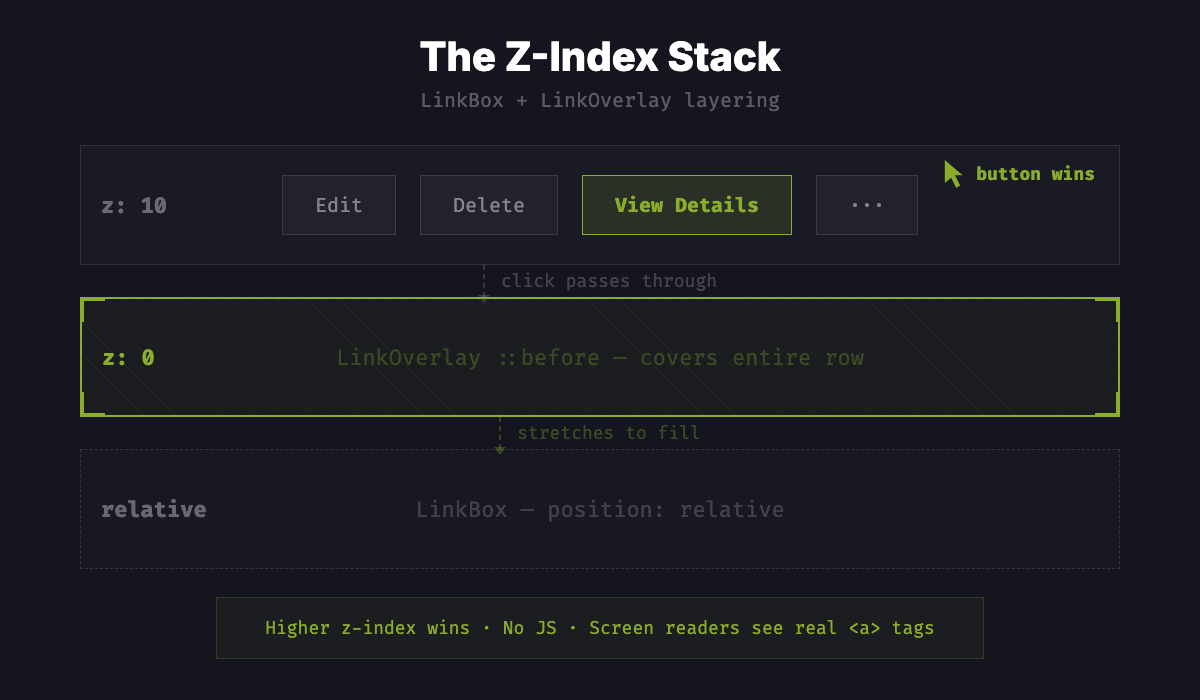
The ::before pseudo-element on LinkOverlay covers the entire LinkBox at z-0. Interactive children sit at z-10. The browser's natural hit-testing handles the rest. Higher z-index wins.
Two components, three CSS selectors, zero runtime cost. The DOM stays semantic, screen readers see a real <a> tag, and right-click "Open in new tab" works because it is a real link.