I Reinvented .env for the AI Era
What if environment variables were encrypted, typed with Zod, and invisible to AI agents — all in one file you commit to git?
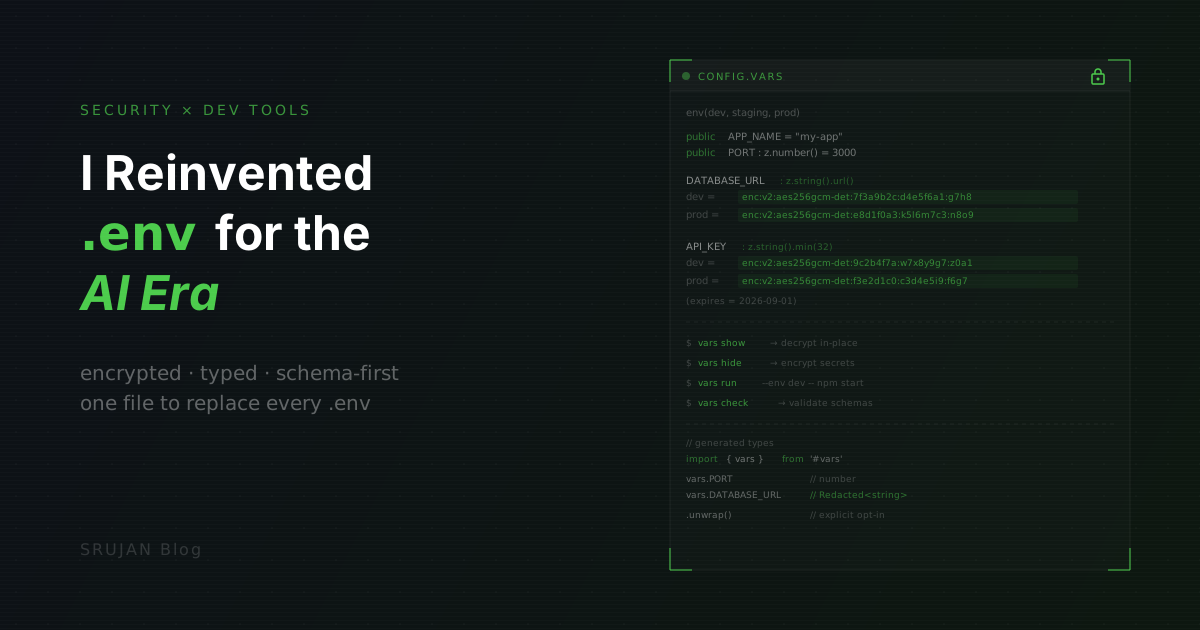
Every AI agent on my machine can read my plaintext .env files. Cursor, Claude Code, Copilot, all of them. API keys, database URLs, just sitting there. The litellm bug recently scared the hell out of me.
Onboarding a new teammate still means DMing them secrets over Slack like it's 2015. I'm not paying for Doppler just to share env vars across a team. And .env files have zero type safety. If you've used t3-env you know how good validated env vars feel. That should just be the default.
I built vars to replace all of it. One encrypted config file. Zod schemas as type annotations. Full TypeScript codegen. A VS Code extension with LSP. And AI agents that can see your variable names and types but never your secrets.
Docs: vars-docs.vercel.app
GitHub: github.com/Royal-lobster/vars
VS Code Extension: marketplace.visualstudio.com
npm:dotvars
The workflow
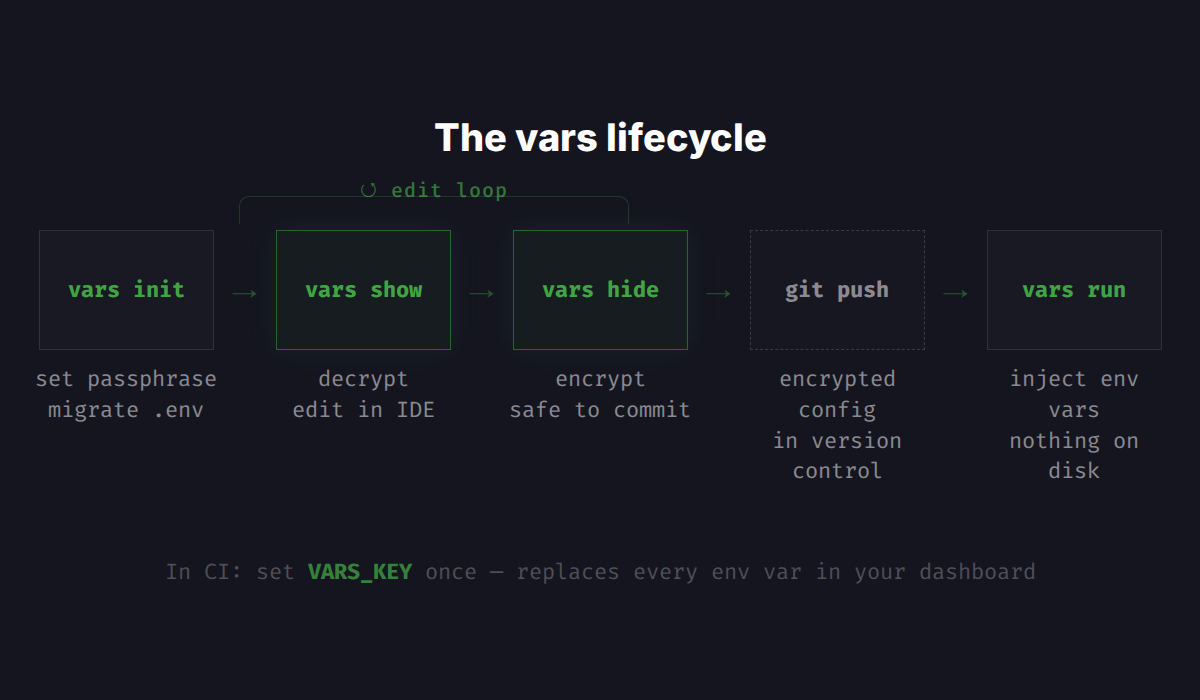
vars init detects your existing .env files and offers to import them. It reads your framework (Next.js, Vite, Astro, whatever), sets up the right package.json scripts, configures the #vars import alias, and sets your encryption passphrase. Your existing variables land in the new format with inferred schemas. No rewriting.
It also adds .varskey and .unlocked marker files to your .gitignore, so the encryption key and decrypted state can never be committed. Then it installs a git hook that checks whether any vars file is still unlocked before allowing a commit. Two layers: .gitignore prevents staging sensitive files entirely, and the hook catches the case where you forgot to vars hide before committing.
vars show config.vars    # decrypt → edit in your IDE
vars hide                # encrypt → safe to commit
vars run --env dev -- npm start  # inject secrets, nothing on disk
vars check               # validate schemas
In CI, set one secret (VARS_KEY) and vars handles the rest. New teammate? Clone the repo, get the passphrase, run vars show.
The format
Here's what a vars config looks like:
env(dev, staging, prod)

public APP_NAME = "my-app"
public PORT : z.number().min(1024).max(65535) = 3000

DATABASE_URL : z.string().url() {
  dev  = "postgres://localhost:5432/myapp"
  prod = "postgres://admin@prod.db.internal:5432/myapp"
}

API_KEY : z.string().min(32) {
  dev  = "dev_key_a1b2c3d4e5f6g7h8i9j0k1l2m3"
  prod  = "prod_key_x9y8w7v6u5t4s3r2q1p0o9n8m7"
} (description = "Primary API key", expires = 2026-09-01)
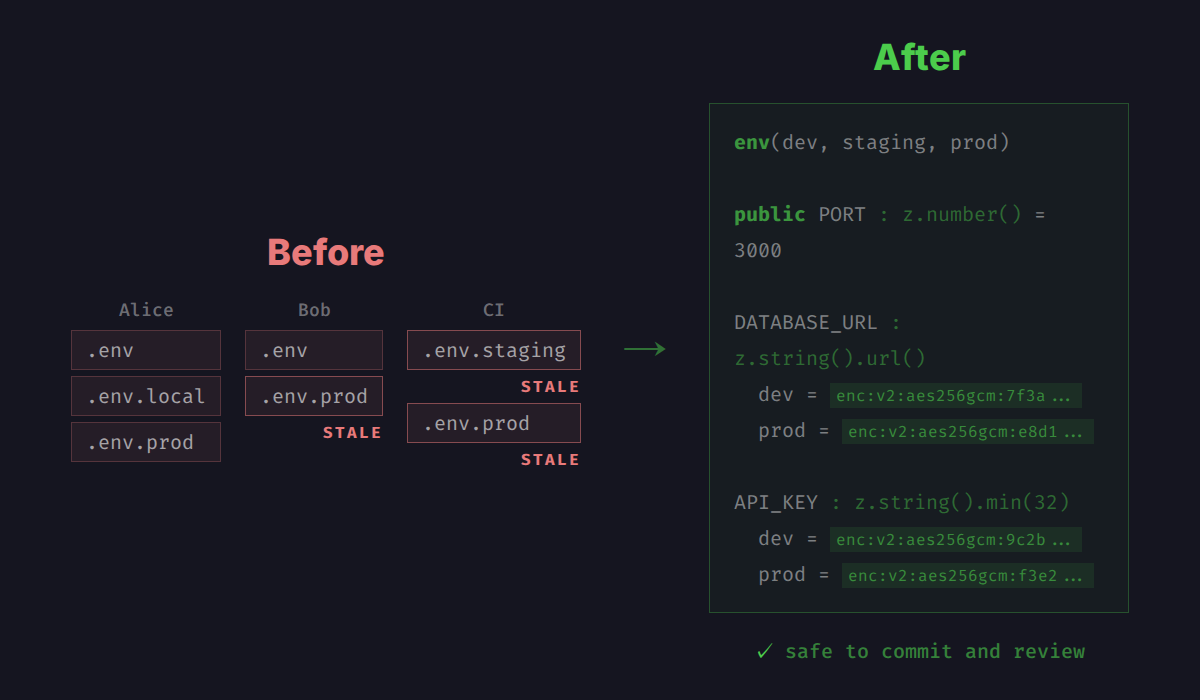
A few things happening here. public marks non-secrets (port numbers, feature flags), which stay plaintext and generate plain TypeScript types. Everything else is a secret, encrypted at rest and hidden from logs at runtime. The env() declaration defines your environments in one place. Typo stagng and the parser rejects it immediately. All environments live in a single file, so Alice's laptop and Bob's laptop are always looking at the same config.
Annotations like expires let vars doctor warn you before a key goes stale. vars run --env dev -- next dev decrypts secrets in memory and injects them as env vars. Nothing touches disk.
After vars hide, secret values are encrypted in-place:
DATABASE_URL : z.string().url() {
  dev  = enc:v2:aes256gcm-det:7f3a9b...:d4e5f6...:g7h8i9...
  prod = enc:v2:aes256gcm-det:e8d1f0...:k5l6m7...:n8o9p0...
}
Structure stays readable. Variable names, schemas, environments, all visible. Only the values are locked behind AES-256-GCM with a passphrase-derived key (Argon2). Safe to commit, diff, and code-review. The encryption is deterministic, so git diff shows real changes, not noise.
Zod schemas and type safety
Every variable carries a Zod schema, validated by the CLI, at type generation, at runtime, and live in your editor. The VS Code extension runs an LSP that checks schemas in real time while the file is decrypted. Set PORT = "banana" and you get a type error before you even save.
public PORT : z.number().int().min(1024).max(65535) = 3000
CORS_ORIGINS : z.array(z.string().url()) = ["http://localhost:3000"]
FEATURE_FLAGS : z.object({
  new_checkout: z.boolean(),
  max_upload_mb: z.number()
}) = { new_checkout: true, max_upload_mb: 50 }
Not just strings. Arrays, objects, enums, numbers with range constraints. The same Zod you already know. The generated TypeScript gives you autocomplete and compile-time safety:
import { vars } from '#vars'

vars.PORT              // number — plain type, validated
vars.DATABASE_URL      // Redacted<string> — can't accidentally log it
vars.DATABASE_URL.unwrap()  // actual value — explicit opt-in
vars.DATABSE_URL       // TS error: Property 'DATABSE_URL' does not exist
Redacted by default
Redacted<string> is the part I keep coming back to. Secrets aren't just encrypted on disk. They're wrapped at runtime. console.log(vars.DATABASE_URL) prints [REDACTED]. You call .unwrap() only at the boundary where you actually need the plaintext:
// Prisma — unwrap once at the connection boundary
const prisma = new PrismaClient({
  datasourceUrl: vars.DATABASE_URL.unwrap()
})

// Logging — redacted by default, zero risk of leaking
logger.info('Connecting to database', { url: vars.DATABASE_URL })
// → { url: "[REDACTED]" }
Redacted overrides .toString(), .toJSON(), and Node's util.inspect symbol. Template literals, JSON.stringify, console.log, all covered. You can't accidentally log a secret. It's not a convention or a code review rule, it's a type-level constraint.
AI-safe by design
With vars, an AI coding agent indexing your project sees:
STRIPE_SECRET_KEY : z.string().startsWith("sk_") {
  dev  = enc:v2:aes256gcm-det:...
  prod = enc:v2:aes256gcm-det:...
}
The agent knows the variable exists, knows its type, and can generate correct code referencing vars.STRIPE_SECRET_KEY. But the actual secret never enters a prompt and never leaves your machine. Doesn't matter whether the agent respects .gitignore or not. There's nothing sensitive to extract from the committed file.
Try it
npm i -g dotvars
vars init
Takes about five minutes to migrate an existing project.
There's more under the hood: variable interpolation, groups for namespaced TypeScript interfaces, file composition for monorepos, platform targets for Cloudflare Workers and Deno, runtime --param overrides. The docs cover all of it.
Docs: vars-docs.vercel.app
GitHub: github.com/Royal-lobster/vars
VS Code Extension: marketplace.visualstudio.com
npm:dotvars