How I Turned mailto Links into a Template Engine
Building Mailspread — a two-page vanilla JS app that turns email templates into shareable links, no backend required.
Omicron was ripping through India in January 2022, and my university refused to switch to online classes. A few classmates drafted an email template for students to send to the administration. Well-written template, terrible distribution method. "Copy-paste this from a WhatsApp forward." Half the emails arrived mangled, half never got sent.
I figured I could fix that in a day.
Try it live: mailspread.netlify.app · Source code: github.com/Royal-lobster/mailspread
The Idea
Design an email template once, generate a shareable link, and anyone who opens that link fills in their details and fires off the email from their own mail client. No accounts, no backend, no database. The entire template lives in the URL, base64-encoded query parameters decoded on the other side.
Two HTML pages. One CSS library. Zero dependencies beyond a base64 polyfill.
Two Pages, That's It
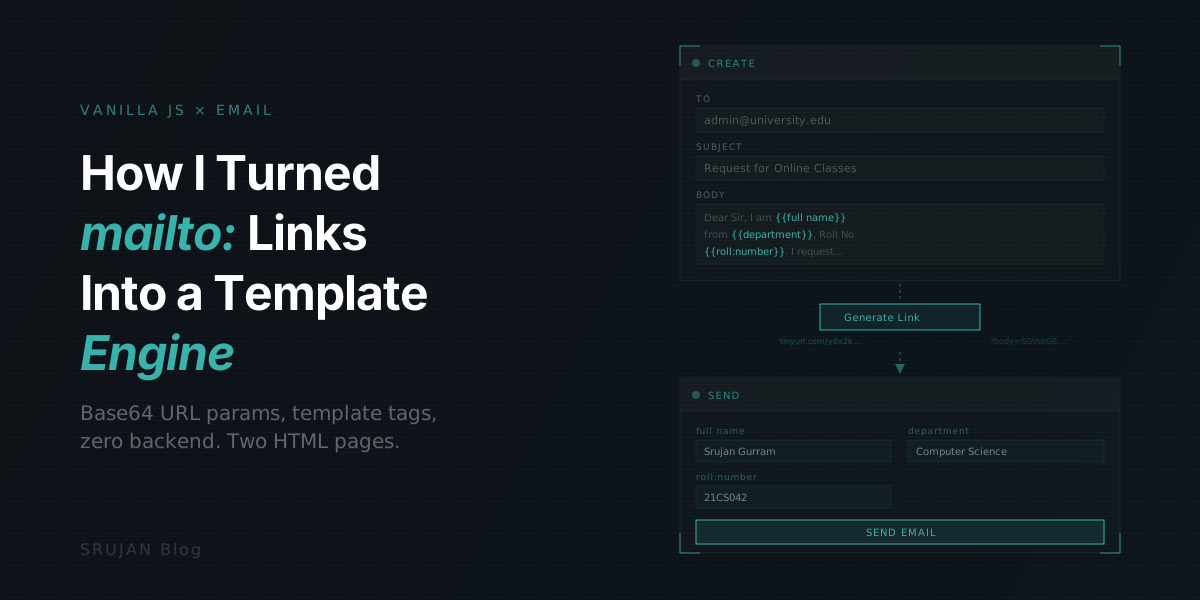
Create page is where you define the template. Enter recipient addresses, a subject line, and the email body. The body supports template tags in the format {{value:type}}, like {{full name:text}} or {{deadline:date}}. The type maps to HTML input types, so you get date pickers, number fields, color pickers, whatever the browser supports. Default type is text, so {{full name}} works fine too.
Hit "Generate Link" and the app base64-encodes everything into URL parameters, shortens the result via TinyURL's API, and copies it to your clipboard.
Send page is where recipients land. The page reads the URL parameters, decodes the template, and renders a form field for each template tag. Fill in the blanks, hit send, and it opens your default email client with everything pre-filled via a mailto: link.
The Build
I wanted to try vanilla JS after months of React. No framework, no bundler. HTML files, a CSS library, and script tags. I also picked Pico CSS, a classless framework that styles semantic HTML directly. It turned out to be a surprisingly good fit, clean forms with zero class names.
Create Page
The create.html form feeds into create.js with a straightforward pipeline:
- Grab form values on submit
- Base64-encode the to address, subject, and body. I used js-base64 because the built-in
atobchokes on emoji - Build a URL pointing to the send page with encoded data as query parameters
- Shorten it via
https://tinyurl.com/api-create.php?url=<long-url> - Copy to clipboard and show a toast
Send Page
send.js does the reverse:
- Parse URL query parameters
- Decode from base64
- Extract template tags with a regex to pull out the value and type from each
{{value:type}} - Render a form with the matching input types
- On submit, replace all
{{tags}}with the user's input and open amailto:link
Polish
After the first working version, I added template tag highlighting in the create page textarea so the {{tags}} light up in a different color for easier scanning. Also wired up auto-resizing for the body textarea and date formatting before injecting values into the final email body.
Pico CSS, Copilot, and the URL Length Wall
Pico CSS was the real discovery. Styling forms by targeting <input> and <textarea> directly (no utility classes, no component library) felt refreshingly simple for a two-page app. Overriding its defaults required plain CSS classes, no !important hacks.
GitHub Copilot was eerily good at suggesting vanilla JS DOM manipulation. Probably because vanilla JS patterns are over-represented in its training data. I used descriptive comments as prompts and it auto-completed most of the boilerplate.
The URL length limit is the real ceiling. Complex templates with long bodies hit browser URL limits (~2,000 characters in some browsers). The TinyURL shortening helps with sharing, but the underlying URL still needs to stay within bounds. For anything more complex, you'd need a backend, which defeats the whole point.
Where It's Useful
The original use case, mass-sending a petition-style email to university administration, worked well. Beyond that, it fits anywhere a group of people need to send similar emails to the same recipients: feedback campaigns, bug report templates, event RSVPs.
The whole thing took a day to build. Vanilla JS, two HTML files, one CSS library, and a mailto: link doing more than it was ever designed to do.